Agentic OS Claude Code is the build layer I now use on every single AI project I ship, and it's quietly become the most important piece of my 2026 dev stack.
If you've ever sat there wondering how solo founders are suddenly shipping full agent dashboards in an evening, this is the answer.
I'm going to walk you through exactly what an Agentic OS is, why Claude Code is the engine inside it, and the same $0 stack I use to spin one up in about an hour.
This post is the no-fluff breakdown of the workflow, the four layers, and the exact reason Claude Code makes the whole thing usable.
Want the exact Agentic OS Claude Code workflow I run daily? Inside the AI Profit Boardroom I've got a full Agentic OS section with step-by-step Claude Code tutorials, prompt packs, and 3,000+ members building real automations. Get access here
What Agentic OS Claude Code Actually Means
An Agentic OS is a personal operating system for AI agents — the dashboard, memory, and routing layer that turns scattered AI tools into one workflow.
Claude Code is Anthropic's CLI-based developer agent and it slots into that OS as the build layer.
That means when you tell the Agentic OS to ship something, Claude Code is the agent that actually writes the files, runs the tests, and deploys the result.
It's not a wrapper, it's not a plugin, it's the engine that does the work.
If you've followed my agentic os overview you already know the OS has a UI layer, an execution layer, a research layer, and a memory layer.
Claude Code sits at the intersection of intelligence and execution.
It is the part of the stack that takes a high-level brief and turns it into shipped code.
That's why every operator I respect in 2026 has Claude Code wired into their daily Agentic OS workflow.
Why I Stopped Building Without It
I used to build agent stacks the long way.
That meant Cursor for code, ChatGPT for planning, a separate tab for docs, another window for terminal, and a Notion doc trying to glue it all together.
By the time I'd context-switched five times, I'd lost an hour.
Then I switched to Agentic OS Claude Code as the core build loop and the picture changed completely.
Now one prompt to Claude Desktop kicks off a session.
Claude Code generates the files locally and pipes them straight into my Agentic OS dashboard.
The memory layer saves every iteration to Obsidian.
I never leave the dashboard.
The total time saved on a typical build went from a full afternoon to about ninety minutes.
That alone is the unlock that flipped my entire week.
The 4-Layer Goldie Mission Stack
The whole Agentic OS Claude Code workflow runs on what I call the Goldie Mission Stack — four layers that each handle one job.
The first layer is intelligence and it's powered by Claude plus Claude Code.
Claude does the thinking — it plans, reasons, decides what files to write, and breaks the brief into tasks.
Claude Code does the building — it writes the actual code, runs the tests, and ships the output.
The second layer is execution and that's where OpenClaw lives.
OpenClaw handles the browser-driven agent work — clicking, scraping, posting, navigating real websites the way a human would.
The third layer is research and that's Hermes Agent's job.
Hermes runs the multi-step research workflows — pulling in docs, summarising data, and feeding findings back to Claude.
The fourth layer is self and that's the personal context layer — Obsidian plus OMI for long-term memory and personal data.
Every Claude Code session I run is saved into Obsidian automatically.
That means the next session already knows what the last one did.
That's a real memory layer, not a hack.
How Claude Code Powers The Build Layer
The reason Claude Code dominates the build layer is its CLI-first design.
Most coding agents live inside an IDE and get clunky when you ask them to do real multi-file work.
Claude Code lives in the terminal and treats your whole project as the context.
That means it can open files, edit them, run shell commands, install dependencies, and verify the result — all in one session.
When you wire it into an Agentic OS dashboard, you get a UI on top of that raw power.
You give the dashboard a brief.
The dashboard sends the brief to Claude Code.
Claude Code does the work in the project directory.
The dashboard reads the result and shows you what changed.
You approve or iterate from the UI.
You never have to touch the terminal yourself unless you want to.
That's the workflow that turns Claude Code from "another coding tool" into the build layer of a real Agentic OS.
If you want the deeper breakdown of the dashboard side, my agentic os command center post walks through the exact UI I built on top of Claude Code in one Anthropic-API-powered session.
The Free $0 Stack — Every Tool Listed
Here's the part most builders won't believe until they try it.
The entire Agentic OS Claude Code stack runs for $0 if you're patient with rate limits.
Claude Desktop free tier covers the planning and brief stage.
Claude Code is bundled with Claude Pro — and even on the free tier you can run it via Anthropic's API key with a small balance.
Hermes Agent is fully open source and runs locally on your machine.
OpenClaw is also open source and free.
Obsidian is free for personal use forever.
OMI is free for the core memory layer.
Step 3.5 Flash on OpenRouter gives you a free fallback API for non-Anthropic tasks.
That's the complete $0 stack and it's the exact set I started on before I ever paid a cent for AI tools.
If you want the polished version with Claude Pro and the Anthropic API plugged in, it costs me about £20 a month total — still cheaper than one Cursor seat.
For the install-and-go walkthrough of just the Claude Code piece, the agentic os download post has the exact files and order.
The Exact Build Workflow I Run
This is the actual sequence I follow on every new build inside the Agentic OS.
I open Claude Desktop and describe what I want in plain English.
Claude asks me three or four clarifying questions — which tech stack, which auth provider, what the data model is.
I answer the questions and Claude generates the spec.
The spec gets passed to Claude Code which spins up a new project directory.
Claude Code writes the Next.js plus Tailwind UI, the backend routes, and the database schema.
It runs the tests as it goes and fixes anything that breaks.
When the build is done, it pipes the result into my Agentic OS dashboard.
I open the dashboard and see exactly what was built, every file that changed, and any TODOs Claude flagged.
I iterate from the dashboard — clicking buttons that send follow-up prompts back to Claude Code.
The whole loop is about ninety minutes from "I have an idea" to "it's deployed."
That's the workflow that the agentic os claude deep dive walks through frame-by-frame if you want to see the screen recording version.
What No Flicker Mode Adds To The Loop
Anthropic shipped a quiet update recently called Claude Code no flicker mode and it pairs perfectly with long Agentic OS build sessions.
The flicker problem used to be that long Claude Code runs would strobe the terminal and eat memory.
A six-hour Agentic OS build session would slow my MacBook to a crawl.
No flicker mode switches Claude Code into an alternate screen buffer and keeps memory flat regardless of session length.
It also adds mouse support — you can click directly on tool outputs to expand them.
For Agentic OS workflows where you're leaving Claude Code running for hours, this is non-negotiable.
The full setup is one environment variable and I walked through it in my claude code no flicker mode breakdown.
If you're running Agentic OS Claude Code daily, enable it tonight.
Why Pair It With Hermes And OpenClaw
Claude Code is brilliant at code but it isn't built for browser work or long research chains.
That's why the Agentic OS pairs it with Hermes for research and OpenClaw for browser execution.
Here's how a real cross-agent task flows.
I tell the Agentic OS to "build a competitor analysis tool for SEO agencies."
Hermes goes off and researches the top ten competitor analysis tools, scrapes their feature lists, and summarises the gaps.
OpenClaw opens the live sites and verifies pricing pages.
Claude Code receives the research summary and the verified pricing, then builds the actual dashboard.
The dashboard pulls live data from Hermes's research output and displays it in a clean UI.
That whole orchestration runs from one prompt.
I never have to manually copy data between agents.
The Agentic OS handles the routing.
This is the workflow that the agent-os-claude post breaks down in granular detail if you want the routing diagram.
Why Developers Are Switching Stacks In 2026
The shift to Agentic OS Claude Code is happening for three concrete reasons.
The first is the death of single-agent workflows.
One agent doing one task at a time is too slow for the work most builders are shipping now.
You need multi-agent orchestration and Claude Code is the build agent inside that mesh.
The second is the rise of local-first memory.
Cloud-based agent memory is fragile, expensive, and laggy.
Obsidian plus OMI gives you fast, free, private memory that every agent in the stack can read from.
The third is the cost collapse.
Running a serious dev workflow used to mean a Cursor seat, a Replit subscription, a Notion AI plan, and a paid Claude account.
That stack ran me about £180 a month.
The Agentic OS Claude Code workflow does more and costs less than a single Cursor seat.
If you want the strategic view of why this matters for business owners, my agentic os meaning post explains it without the dev jargon.
Common Mistakes Builders Make On Day One
The most common mistake I see new Agentic OS Claude Code users make is trying to skip the brief stage.
They open Claude Code and dump a vague prompt expecting magic.
What they get is mediocre output and a frustrated afternoon.
The fix is to always brief in Claude Desktop first, then let Claude Code execute.
The second common mistake is ignoring the memory layer.
Without Obsidian wired in, every session starts from zero.
Spend the twenty minutes to set up the Obsidian vault and your future sessions will compound.
The third mistake is trying to run everything in one terminal window.
Claude Code is the build engine but it needs Hermes and OpenClaw running in parallel for the full Agentic OS to work.
Open three terminal tabs or use tmux — don't try to multiplex one window.
For the smaller harness option that runs in even less RAM, the deepseek harness walkthrough shows the lighter-weight alternative I sometimes pair with Claude Code on travel days.
Real Results From My Build Week
To make this concrete, here's what I shipped in a single week using the Agentic OS Claude Code workflow.
Monday — built a full SEO dashboard with Claude Code that pulls live Google Search Console data, took ninety minutes.
Tuesday — refactored my YouTube thumbnail pipeline using Claude Code plus OpenClaw, took two hours.
Wednesday — shipped a new lead magnet landing page generated end-to-end by Claude Code, took forty-five minutes.
Thursday — built a Hermes plus Claude Code research bot that summarises my competitors weekly, took three hours.
Friday — wrote, edited and published three blog posts using a Claude Code SEO agent, took two hours total.
Five shipped products in a five-day work week.
That used to take me a month.
This is the leverage Agentic OS Claude Code unlocks for a solo operator.
Trust Signals You Should Know About
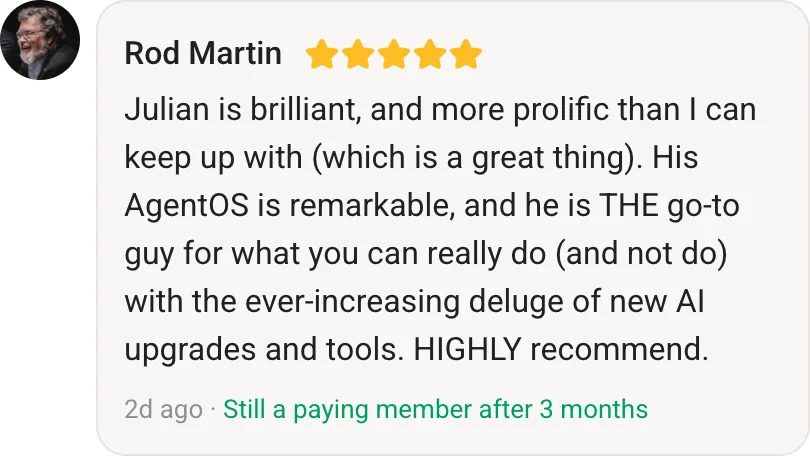
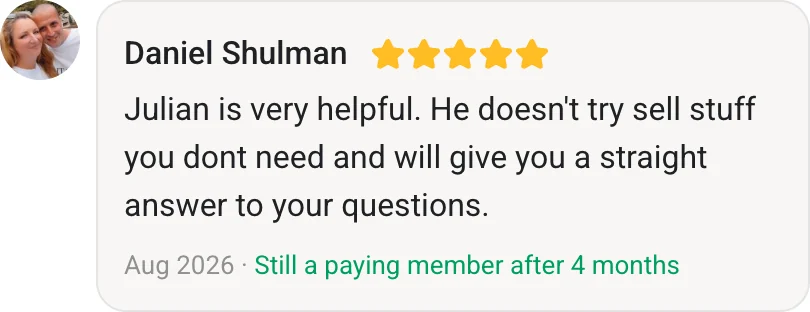
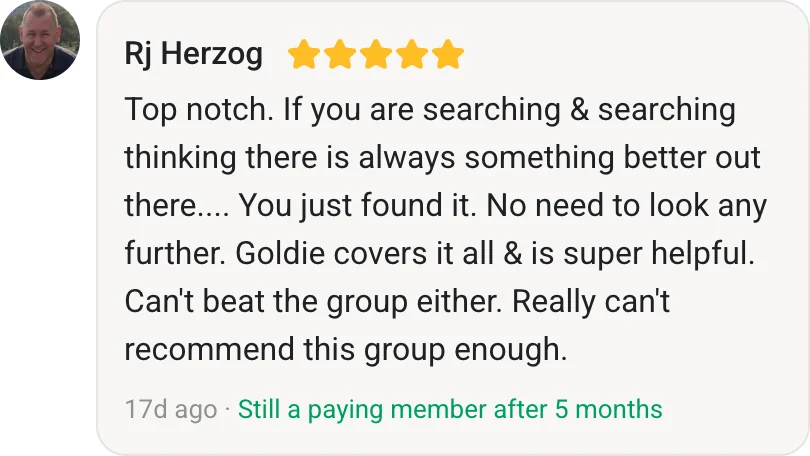
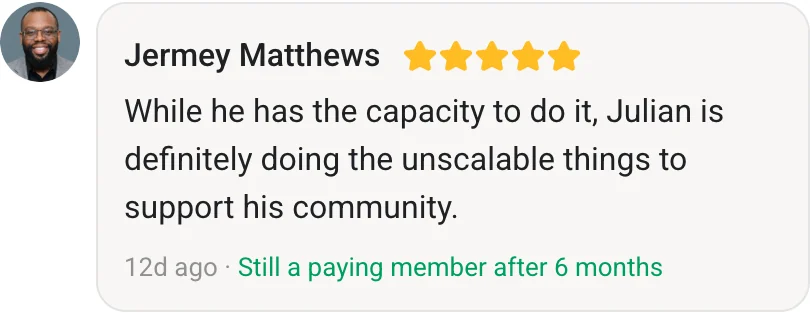
The AI Profit Boardroom has 3,000+ members already using this exact Agentic OS Claude Code workflow.
The community runs five live calls every single week — including one dedicated AI build call where we walk through real Agentic OS builds together.
The price is locked at $69 a month and backed by a twin guarantee.
If you don't ship something real in 30 days, I refund you and you keep the training.
That's why the community keeps growing.
Want a free version first to test the waters? Join my AI Money Lab — a free community where I share lighter versions of these workflows and 1,000+ free AI agents.
Where Agencies Should Run This Stack
If you're running an agency, the Agentic OS Claude Code workflow is the highest-leverage thing you can deploy this quarter.
The agencies winning right now are the ones treating Claude Code as a junior dev on every account.
Brief Claude Code with the client requirements, let it ship the technical work, review the output, and bill normally.
The margin shift is significant.
The Goldie Agency team uses this exact workflow internally on SEO and AI builds.
Are you a marketing agency? Want SEO + AI combined? Book a free strategy session with my 7-figure SEO agency Goldie Agency (50-person team). Book free session
FAQ — Agentic OS Claude Code
What is Agentic OS Claude Code in plain English?
Agentic OS Claude Code is the workflow where Claude Code runs as the build layer inside a personal AI operating system, handling code generation, refactoring, and deployment while other agents handle research and browser tasks.
Is Agentic OS Claude Code free to use?
Yes — the full $0 stack uses Claude Desktop free tier, Hermes Agent open source, OpenClaw open source, Obsidian, and OMI. You can upgrade to Claude Pro for around £20 a month if you want better rate limits.
Do I need to be a developer to run Agentic OS Claude Code?
You don't need to write code, but you do need to be comfortable with a terminal and following install instructions. If you can copy and paste shell commands you can run this stack.
How long does it take to set up Agentic OS Claude Code?
The first install takes about an hour if you follow the agentic os download walkthrough. After that, spinning up new projects takes minutes because the OS is already configured.
Can I use Agentic OS Claude Code on Windows?
Yes — Claude Code, Hermes, OpenClaw, and Obsidian all run on Windows, macOS, and Linux. The workflow is identical across platforms.
What's the difference between Agentic OS Claude Code and just using Claude Code directly?
Claude Code on its own is a CLI dev agent. The Agentic OS wraps it with a dashboard, memory layer, research agent, and browser agent so you get multi-step automation instead of one-prompt-one-response.
About Julian
I'm Julian Goldie — AI entrepreneur, SEO expert, and founder of the AI Profit Boardroom (3,000+ members). I help business owners scale with AI agents, automation, and SEO.
- 400K+ YouTube subscribers
- 7-figure AI agency (Goldie Agency)
- Daily training inside the Boardroom
- Author of multiple AI automation playbooks
Get my best AI training inside the AI Profit Boardroom
Latest Updates
- Agentic OS — the full operator stack overview.
- Agentic OS Claude — the Claude-Desktop kickoff workflow.
- Agentic OS Command Center — the dashboard side of the stack.
Further Reading On Agent OS Guide
For deeper walkthroughs on the topics in this article, the Agent OS Guide library has these worth bookmarking.
- Agent OS Guide — the full library covering every layer of the stack in one place.
- How Claude Mythos Changed AI — the deep Claude write-up that pairs with the Claude Code agentic OS workflow.
- Free Claude Code Setup Guide — installing Claude Code free so you can wire it into your agentic OS today.
- Hermes Agent OS Q&A — top Hermes Agent OS questions answered for when you extend Claude Code with Hermes.
Also On Our Network
- Read on aiprofitboardroom.com
- Read on juliangoldieaiautomation.com
- Read on aisuccesslabjuliangoldie.com
- Read on aimoneylabjuliangoldie.com
Related Reading
- Agentic OS Meaning — the strategic case for the OS layer.
- Agentic OS Download — install + first-prompt setup.
- Agent OS Claude — the routing diagram and orchestration.
- Claude Code No Flicker Mode — the polish layer that makes long sessions liveable.
- DeepSeek Harness — the lighter-weight alternative for travel days.
Video notes + links to the tools
Get a FREE AI Course + Community + 1,000 AI Agents
If you only adopt one stack this quarter, make it agentic os claude code — it's the highest-leverage developer workflow I've shipped this year.