Agentic OS Download: How To Get + Run Julian's Stack (2 Paths)
So you searched "agentic os download" and you're trying to figure out where the actual file is.
Let me save you twenty minutes of digging through GitHub and Reddit threads.
There is no single "Agentic OS" file on a marketplace.
It's not on the App Store, it's not on Product Hunt, and there's no installer.exe to grab.
What it actually is — a self-built local dashboard that wraps your Claude, Hermes, OpenClaw, and any other agents into one mission control view.
And there are exactly two ways to get one running on your machine in 2026.
Path one: you build it yourself with a single Claude Desktop prompt and about an hour of patience.
Path two: you join the AI Profit Boardroom, DM me, and I send you the zip with the dashboard, 100+ prompts, and a 30-day roadmap.
Both are real options.
This article walks through both, so you can pick the one that fits your time budget.
Why There's No Single Agentic OS Download Link
I get asked this every week inside the Boardroom.
People type "agentic os download" into Google expecting a one-click installer, and they get nothing.
That's because the Agentic OS isn't a product anybody ships.
It's a pattern.
The pattern goes like this — you take Claude (the model that does the thinking), Hermes (the open-source agent runtime), OpenClaw (the browser computer-use agent), and you wrap them in a local web dashboard that lets you see and steer them all in one place.
Nobody sells that as a SaaS.
If they did, you'd be paying $99 a month and your data would be sitting on their servers.
Instead, I built the blueprint and I share it with people who want it.
For more on the underlying idea, the agentic OS meaning piece breaks down what makes this different from a normal AI tool.
Want the zip without doing the build yourself? Inside the AI Profit Boardroom, DM me and I'll send you the Agentic OS dashboard plus the 100+ prompts I use to drive it. → Get access here
Path 1: Build Your Own Agentic OS Download With One Prompt
This is the free path and it's genuinely fast.
You need three things to start.
You need Claude Desktop installed (the free tier works, Pro is faster).
You need somewhere to save the code (I just use a folder on my desktop called agentic-os).
You need about an hour of focused time so you can answer Claude's clarifying questions as it builds.
Here's the prompt I paste into a fresh Claude Desktop chat.
Create a beautiful operating system hosted locally for managing Claude for a website connected to Claude. Should be like a beautiful mission control dashboard. Then allow me to control my OpenClaw, my Hermes, and any other agents in separate systems inside the dashboard.
That's it.
That's the whole prompt.
Claude takes the brief, asks two or three clarifying questions about what you want on screen, then generates a Next.js plus Tailwind dashboard in one session.
It writes the file tree, the component code, the routing, the local API handlers — the lot.
When it asks you for documentation links, paste in the Hermes README and the OpenClaw README.
Claude uses those to wire the panels so each agent shows live status.
You run npm install and npm run dev and you're looking at your own Agentic OS at localhost:3000.
For the deeper walkthrough on the Claude side of this, I broke down the Claude Code agentic OS path here.
What You Actually Get After The Build
The first version Claude generates isn't perfect.
It's a working skeleton.
You get a left-hand nav with sections for each agent, a central chat panel, a memory feed, and a status bar showing which agents are online.
You'll want to spend another hour adding the bits that matter to you — maybe a journal panel, maybe a goals tracker, maybe an Obsidian vault viewer.
That's the point.
The whole reason this works as a self-build is that everybody's needs are different.
I link my Obsidian vault directly into mine because I do all my writing there.
A client of mine wired his into Notion instead.
Another wired it into Linear so he could see his issues alongside his agents.
The build adapts to you, not the other way round.
For the full mission control view that Claude builds, the agentic OS command center post shows what the finished UI looks like.
Path 2: DM Me Inside AIPB For The Zip
Some people don't want to build it.
Fair enough — not everybody enjoys spending an hour answering Claude's questions about routing decisions.
That's why the second path exists.
You join the AI Profit Boardroom at $69 a month locked in.
You DM me when you're inside.
I send you the zip file with the Agentic OS dashboard pre-built.
Inside the zip you get the full Next.js plus Tailwind codebase ready to run.
You get the mission control UI with live agent status, chat, memory, goals, and a journal panel already wired up.
You get the Hermes and OpenClaw and Claude wiring done.
You get the Obsidian vault integration via OMI.
You get 100+ prompts I've collected for driving the dashboard day to day.
And you get my 30-day roadmap that takes you from zero to fully operational.
Unzip it, run npm install, run npm run dev, and you're done in about ten minutes.
🔥 The fast path to your Agentic OS download. The zip plus 100 prompts plus 30-day roadmap lives inside the AI Profit Boardroom. DM me when you join and I'll send it across. → Get access here
The $0 Free Stack That Runs It
The thing that surprises people most about this whole setup is the cost.
It runs on a free stack.
Claude Desktop on the free tier handles the brain.
Hermes Agent (open source) handles the autonomous worker layer.
OpenClaw (open source) handles the browser computer-use layer.
Obsidian (free for personal use) handles the knowledge layer.
Step 3.5 Flash on OpenRouter handles the cheap inference for background tasks (there's a free tier).
That's the whole stack.
You can run a multi-agent setup that would cost you $200-400 a month on hosted SaaS tools, for $0, on your own machine.
The trade-off is you do the wiring yourself (Path 1) or you grab my pre-wired version (Path 2).
The Hermes agent OS post goes deeper on the Hermes side of the stack.
Why It Has To Be Local, Not Cloud
This is the question I get every time someone sees the setup.
"Why can't you just host the Agentic OS as a web app I can log into?"
Because the whole thing breaks the moment it leaves your machine.
Your Claude session lives on your machine.
Your Obsidian vault lives on your machine.
Your OpenClaw browser sessions need to control a real browser on your machine.
Your Hermes memory store lives on disk locally.
You can't proxy all of that through a cloud server without either losing speed, losing privacy, or losing functionality.
I tested a hosted version for two weeks last year.
It was 10x slower and I couldn't trust it with my client data.
Local-only is the right call.
That's also why nobody's monetised the Agentic OS as a SaaS — the architecture doesn't allow it cleanly.
For the technical reasoning here, the agentic OS post explains the local-first decision in more detail.
What's Inside The AIPB Zip (Path 2 Details)
If you take the AIPB path, here's exactly what shows up when you unzip the file.
You get the /app directory with the Next.js routing.
You get the /components directory with the mission control panels.
You get the /agents directory with the wiring for Hermes, OpenClaw, and Claude.
You get the /lib directory with the local API handlers.
You get the /prompts directory with 100+ prompts I've collected for driving the dashboard.
You get a README.md with the 30-day roadmap broken into daily 30-minute tasks.
The roadmap goes — week one is install plus first agent online, week two is Hermes plus OpenClaw wired, week three is Obsidian plus memory layer, week four is your own custom panels and automations.
By day 30 you're running the same setup I run for my own work.
That's the timeline most members hit.
A few do it in a weekend.
A few take six weeks because they only touch it on Sundays.
That's fine — the roadmap is paced for whatever speed suits your week.
The Real Reason People Want The Pre-Built Zip
I'll be honest about why most people pick Path 2 over Path 1.
It's not the build difficulty.
The build is genuinely easy with the Claude Desktop prompt.
It's the prompt engineering on top.
After you've got the dashboard running, the next hard part is figuring out what to actually tell each agent to do.
Which prompt do you give Hermes for daily journalling?
Which prompt do you give OpenClaw for site QA?
Which prompt do you give Claude for the morning standup?
That's where the 100+ prompts in the zip earn their value.
I've spent eighteen months refining those prompts on real client work.
You skip that learning curve.
You also get the weekly coaching calls inside AIPB (five a week) where I walk through new prompts and new wiring patterns live.
That's the real unlock — not the dashboard, the playbook that drives it.
Hermes Inside Your Agentic OS
A quick word on Hermes specifically because it's the most interesting piece.
Hermes is the agent runtime that gives your dashboard memory, goals, and autonomous loops.
Without it, you've got a chat UI.
With it, you've got an actual agentic system.
The Hermes panel inside the dashboard shows live goals, current memory state, and the autonomous tasks Hermes is running in the background.
That's what people mean when they say "agentic OS" — the agents do work on their own, you supervise the outputs.
For the installer-level walkthrough, the Hermes agent installation guide is the step-by-step.
What If I Get Stuck Mid-Build?
Honest answer — Path 1 (the self-build) has rough spots.
Claude sometimes generates a panel that doesn't quite wire up.
You sometimes hit a Tailwind config error.
You sometimes have to nudge it three times to get the agent status feed right.
That's just real software work.
If you've ever written a line of code before, you'll be fine.
If you haven't, Path 2 is the easier choice — the zip is already debugged.
Or, you can post your build issue inside AIPB and get help from members or me on the next coaching call.
Most build issues get solved in under 24 hours that way.
The Honest Comparison Between The Two Paths
Let me lay it out plainly.
| Factor | Path 1 (DIY build) | Path 2 (AIPB zip) |
|---|---|---|
| Cost | £0 plus your time | $69/mo locked AIPB membership |
| Time to first run | 1-2 hours | 10-15 minutes |
| Customisation | Total — your build | Total — edit any file |
| Prompts library | You write your own | 100+ included |
| Roadmap | You make one up | 30-day plan included |
| Coaching | None | 5 live calls per week |
| Code quality | Whatever Claude generates | Hand-tested by me |
Path 1 wins on cost.
Path 2 wins on speed and on the playbook.
Pick the one that matches what you've got more of — time or money.
Watch The Full AIPB Walkthrough
Before you decide, here's the AIPB walkthrough I shot a few months back so you can see what's actually inside.
FAQ: Agentic OS Download Questions I Get Weekly
Is the agentic os download free?
Path 1 is free if you do the build yourself with Claude Desktop.
Path 2 (the pre-built zip with 100 prompts and the 30-day roadmap) is included in the AIPB membership at $69 a month locked.
Both paths run the same underlying stack at $0 in software costs.
Where do I download the Agentic OS file?
There is no public file on a marketplace.
The zip is shared inside the AI Profit Boardroom via DM after you join.
Or you can self-build it with the Claude Desktop prompt I share above and have your own version in about an hour.
What does the Agentic OS run on?
It runs on your own machine.
Mac, Windows, or Linux all work.
The dashboard is Next.js plus Tailwind, the agents are Hermes plus OpenClaw plus Claude, and everything stays local.
Can I run the Agentic OS in the cloud?
Technically yes, but I don't recommend it.
The whole architecture depends on your local Claude session, local browser for OpenClaw, and local Obsidian vault.
Cloud-hosting it breaks the speed and privacy benefits — that's why nobody ships this as a SaaS.
Do I need to know how to code to get this running?
For Path 2 (the zip), no — you just run npm install and npm run dev and you're done.
For Path 1 (self-build), basic comfort with the terminal helps.
If you've never run a Node project before, Path 2 is the smoother route.
How long until I'm getting real value from my Agentic OS?
Most AIPB members hit real value in the first week.
That's when the first autonomous agent loop completes a task while you're away from the keyboard.
The 30-day roadmap is paced so by day 30 you're running a multi-agent setup with memory, goals, and your own custom panels.
About Julian
I'm Julian Goldie — AI entrepreneur, SEO expert, and founder of the AI Profit Boardroom (3,000+ members). I help business owners scale with AI agents, automation, and SEO.
- 400K+ YouTube subscribers
- 7-figure AI agency (Goldie Agency)
- Daily training inside the Boardroom
- Author of multiple AI automation playbooks
→ Get my best AI training inside the AI Profit Boardroom
Further Reading On Agent OS Guide
For deeper walkthroughs on the topics in this article, the Agent OS Guide library has these worth bookmarking.
- Agent OS Guide — the full library covering every layer of the agentic OS in one place.
- Hermes Agent OS Q&A — top Hermes Agent OS questions answered for the research seat in your stack.
- NotebookLM Agent OS — wiring NotebookLM into the memory layer so every agent shares context.
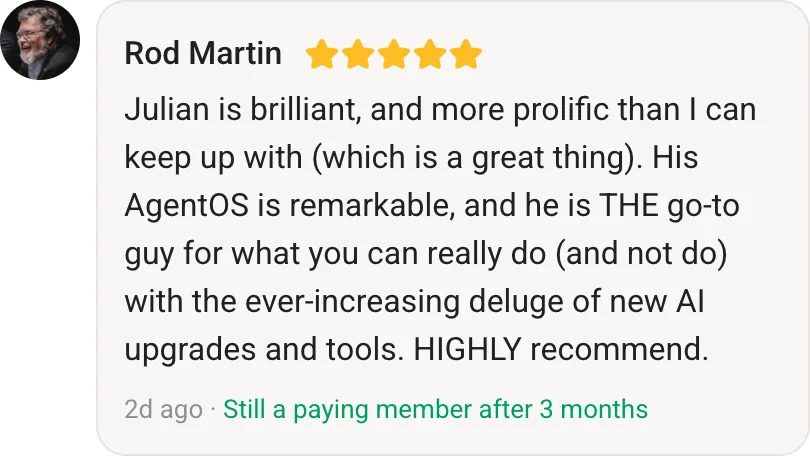
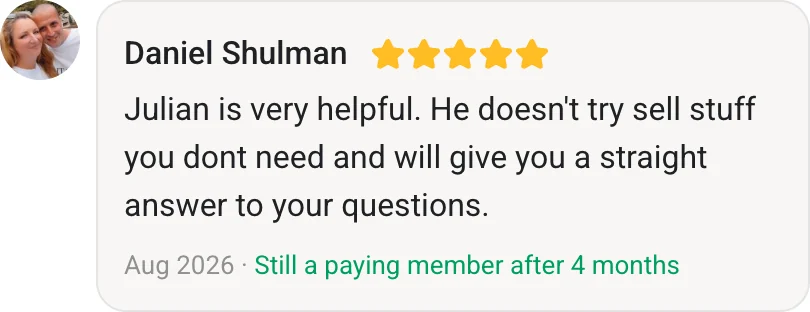
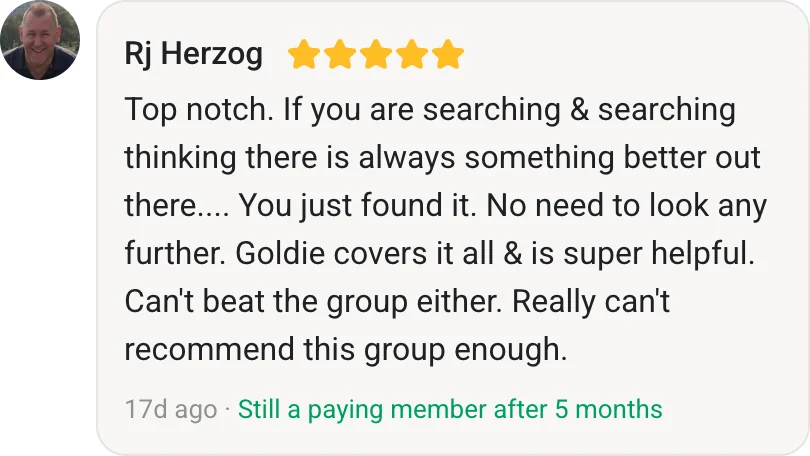
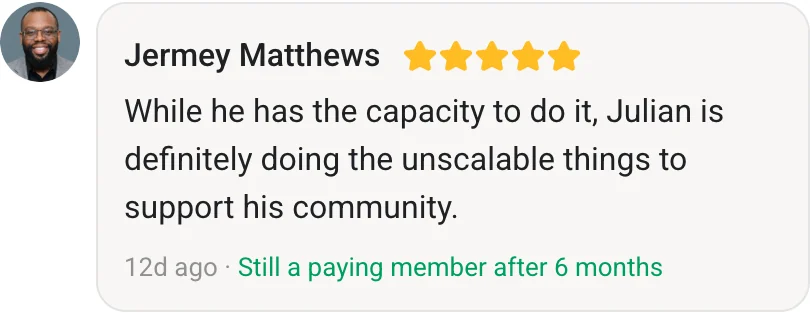
- Agent OS Member Testimonials — real wins from operators running this exact download stack day-to-day.
Also On Our Network
- 🌐 Read on aiprofitboardroom.com
- 🌐 Read on juliangoldieaiautomation.com
- 🌐 Read on aisuccesslabjuliangoldie.com
- 🌐 Read on aimoneylabjuliangoldie.com
Related Reading
- What is an Agentic OS?
- Agentic OS Claude Code build
- Agentic OS Command Center walkthrough
- Hermes Agent Installation Guide 2026
- Agentic AI OS overview
📺 Video notes + links to the tools 👉
🎥 Learn how I make these videos 👉
🆓 Get a FREE AI Course + Community + 1,000 AI Agents 👉
That's how the agentic os download actually works in 2026 — two paths, both real, both running the same free stack on your own machine.